
Neon Events
I was wrong about being done with netcode.
Here are some highlights from the last few months:
- Had a few playtests and added special abilities for the player
- Added core game data synchronization between the players and the server. Now I can update how much damage something does without needing to email everyone a zip file full of JSON.
- Added rollback-safe special effects
- Rust LOC: 34,657 (+4,949). ~100 LOC of GDScript for text animations
Neon UI
Before I dive into the weeds about netcode problems, here’s something more visual. I asked AI to generate some concept art early in the project. One of the “ideas” used neon signs for the UI. I loved it. I don’t think I’ve ever played a game with a neon UI and it fits the bright & bold aesthetic I want. It is a little tricky to implement efficiently in a game though.
First, here’s a picture of a real sign to use as reference material
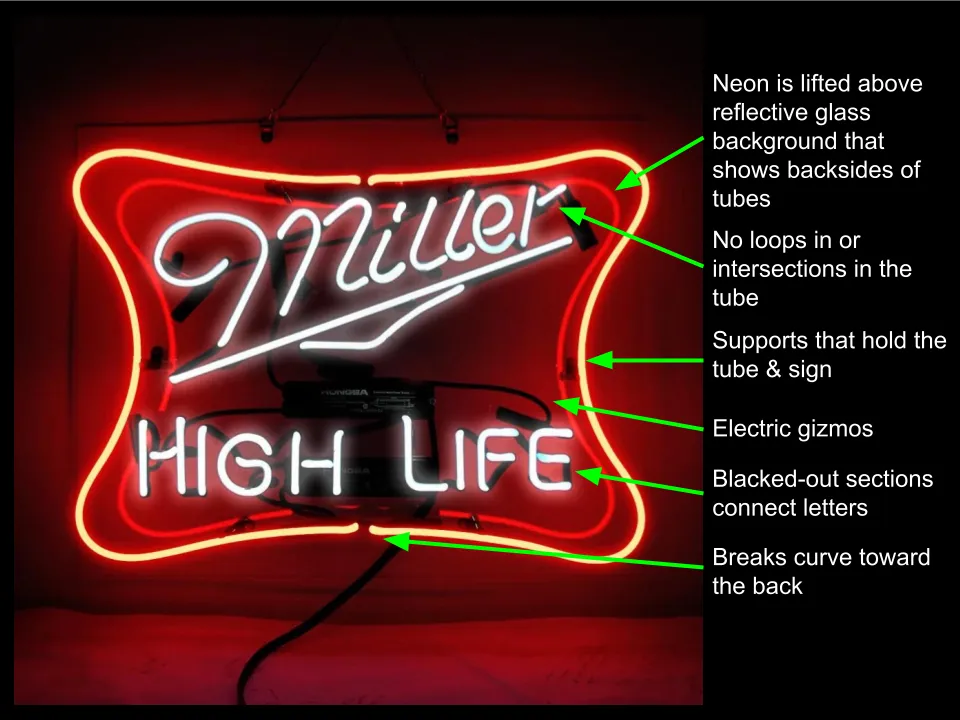
Miller High Life is a registered trademark of Molson Coors Beverage Company. Image included for educational commentary under fair use; no endorsement implied.
Ideally, I could fully 3D model the UI and render the lighting in realtime but that’s really hard. First, I can barely open Blender, let alone model competently in it. Then I’d basically have to build a custom UI framework with 3D buttons. And even if I did all that, most people wouldn’t be able to play the game because computers really struggle with anything but point lights and directional lights. So I need to fake it.
I think the bright colors, the lifted neon tube & reflections, and the design rule of no intersections are the most important aspects to reproduce.
Color Space
I spent a few hours trying to find canonical neon color codes but it was largely a wash even though there are lots of neon color charts on the internet. Neon signs work by zapping atoms with electricity. Each element produces an exact color spectrum. The color cannot be defined by RGB colors. It is physically impossible. HDR is better but it isn’t supported by all devices yet.
This is what RGB can do. This chart shows the limits of human vision (big rounded grey triangle) and the colors that standard RGB can draw (rainbow triangle). Pay attention to the size of the triangle instead of how bright the colors are. This chart set the brightness to ~65%, the other one set it to 100%.
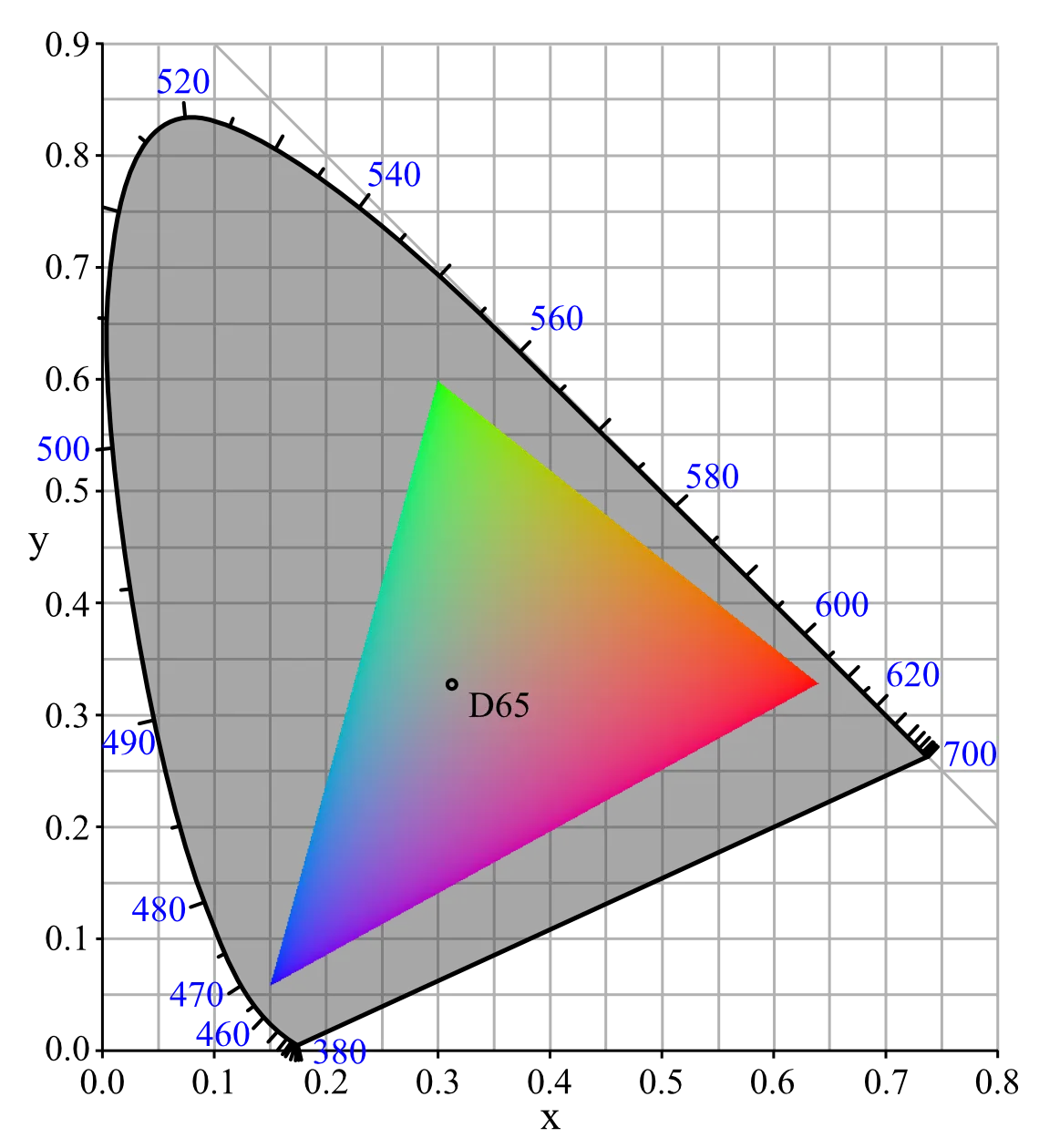
Diagram by PolBr - Own work, CC BY-SA 4.0, Link
Here’s a color chart from a neon sign manufacturer.
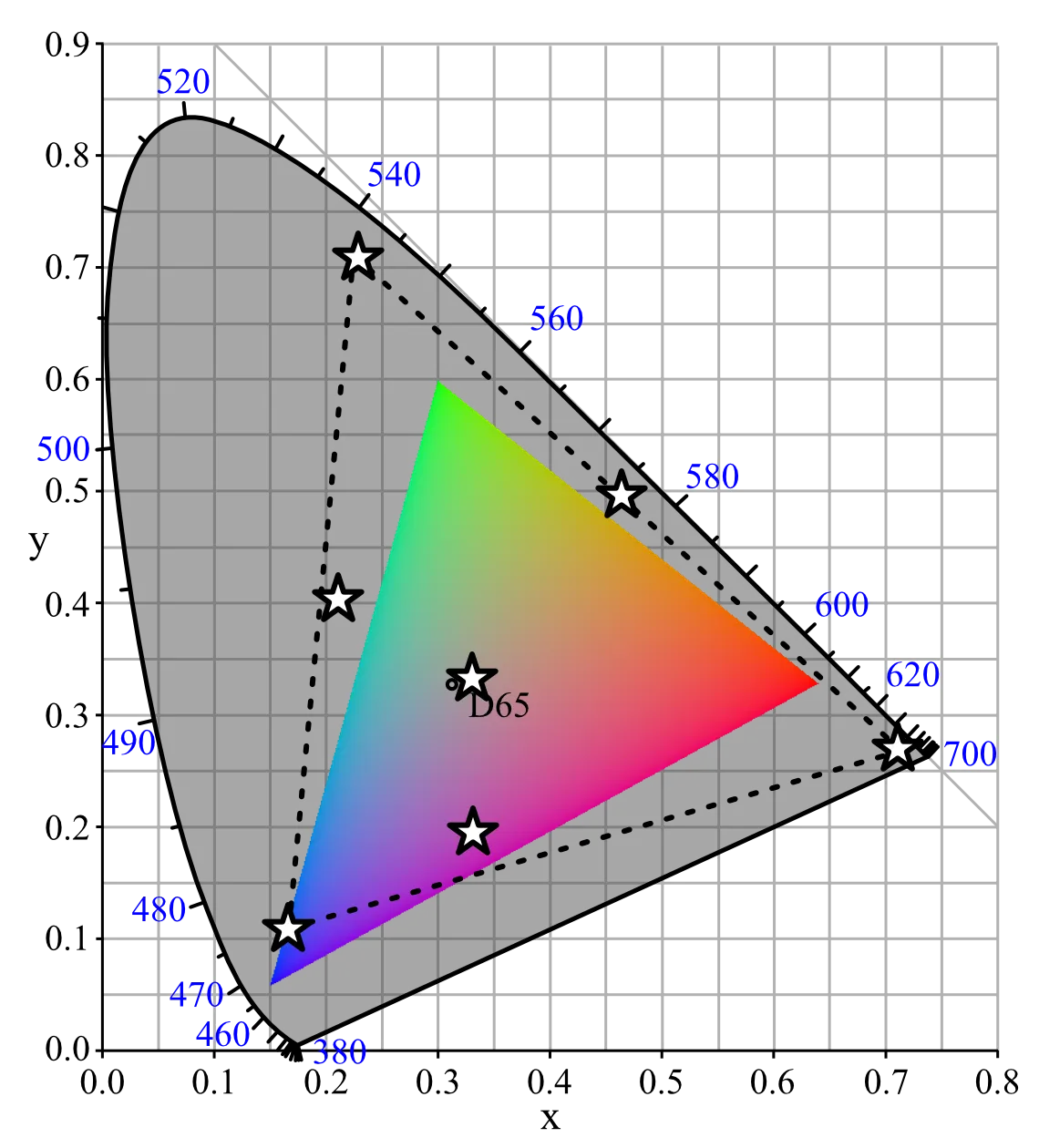
The little stars are some of their sign colors. I had to plot them by hand.
Lifted Tubes & Reflections
I am faking the 3d lifted tubes through some simple one-point perspective, trigonometry, and a few UI layers. The UI layers are:
- The floating neon tube foreground. This is a 9-slice texture without the middle. It is scaled and offset based on perspective.
- A neon glow layer that makes the panel and elements glow
- The actual UI content
- The frosted glass background panel
- An invisible “clipping” background panel that keeps reflections inside the glass
- The neon reflections, also scaled & offset like the foreground
Steps #3 & 4, the UI content and frosted glass background panel
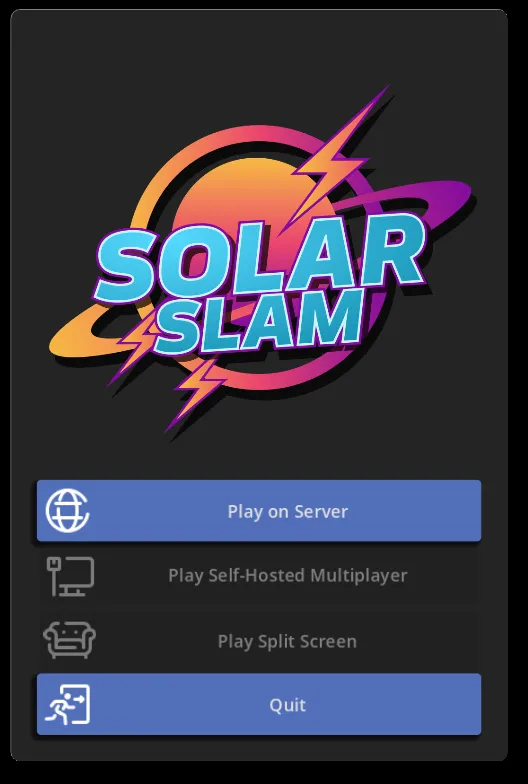
Plus the neon tube foreground. Notice how the tubes are slightly offset from the background. This depends on where it is sitting on the screen
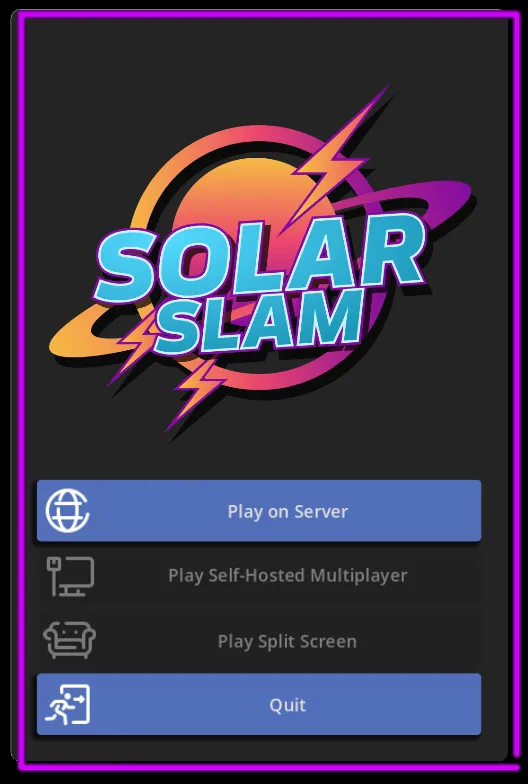
The background reflection by itself. It is offset in the opposite direction as the foreground tubes
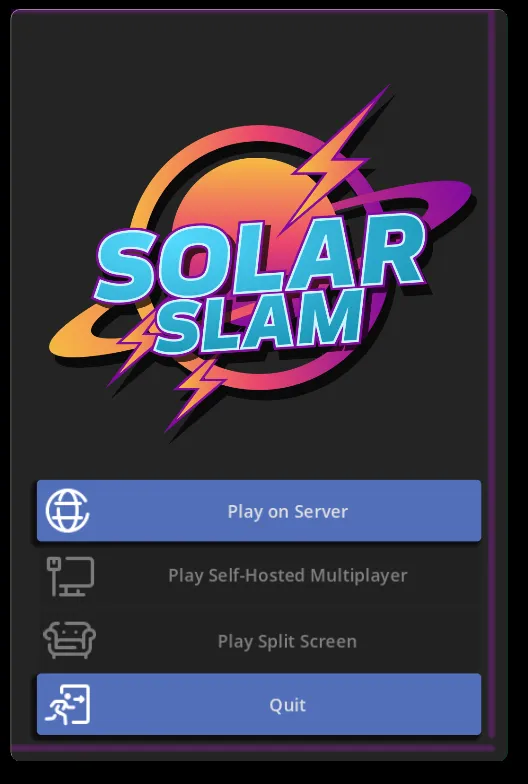
The UI glow layer
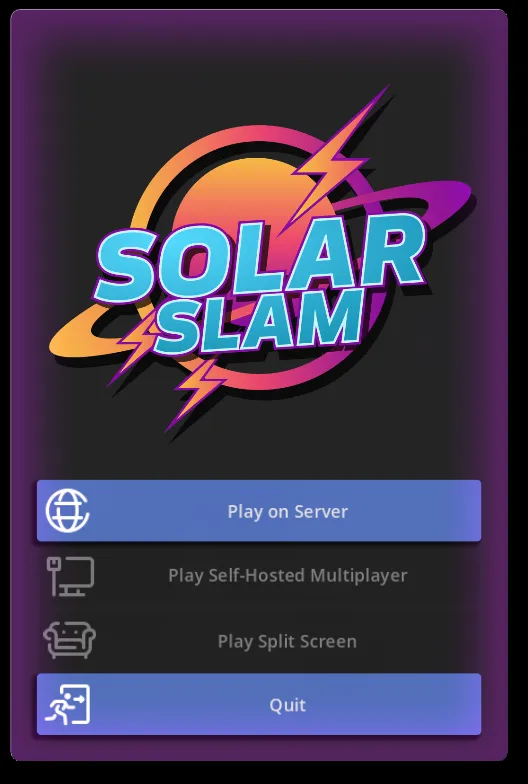
Now all of it together
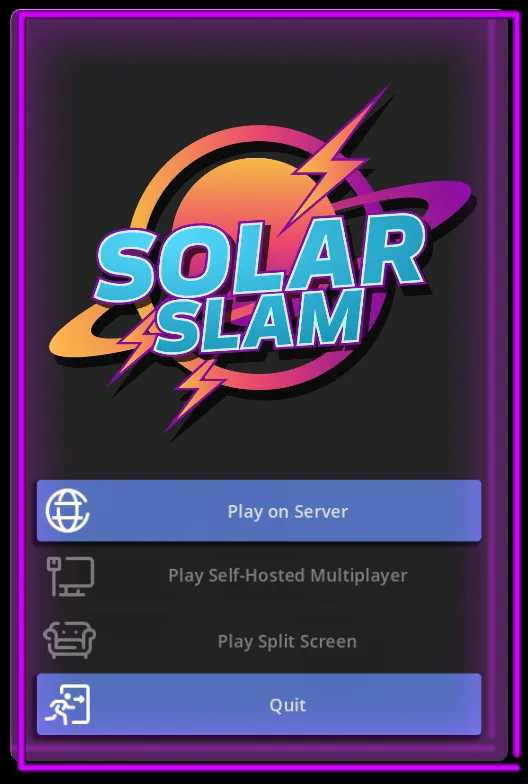
They can be individually colored and even turned off. The last one shows the “off” state with semi-transparent tubes. Each one has slightly different offsets because of where they are on the screen.
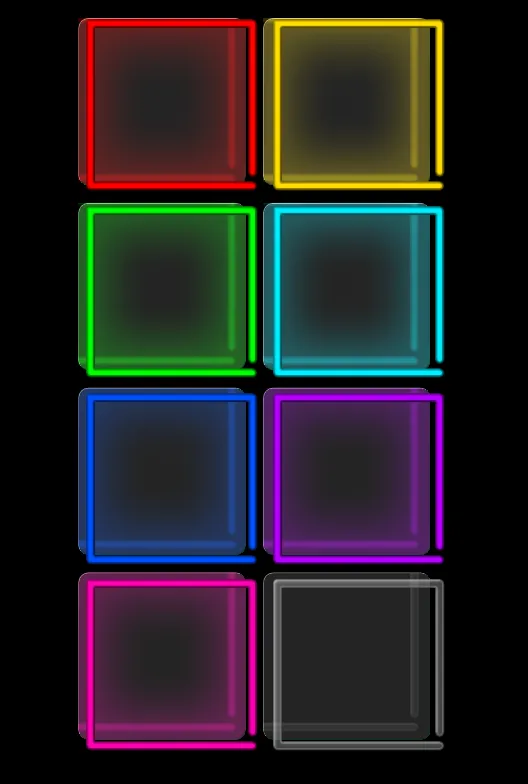
I made all the neon tube sprites by hand in a photoshop-like program. I want to render them in blender eventually.
I spent an evening messing around in Blender rendering the main logo as a neon sign. It’s going to take me a while to split it up into layers. I want to have it turn on in stages as part of the boot-up animation.

Game Events & Rollback
In my last update I celebrated getting the netcode to work at all. It was pretty lifeless though. The game state was synced correctly but I didn’t have any animations or special effects. So when you hit someone with a nuke, they’d take damage and maybe be knocked across the screen, but there wasn’t a big explosion. It felt terrible. I had a hell of a time figuring out how to add them.
Lag compensation adds a lot of edge cases to a seemingly simple feature. Here are some weird sequences of events that might happen:
- (happy path) the server has locked several ticks ahead of the client, so a rollback is impossible. The client executes a tick, and sees that an explosion happens and renders it
- The client is ahead of the server, and gets an input for a past frame. This triggers a rollback
- The explosion happens to be in the exact same spot as before → it should do nothing
- The explosion is a millimeter away → it should do nothing
- The explosion is a mile away → it should spawn a new explosion and maybe fast-forward the old one
- The explosion never happened →Maybe fast-forward the animation?
- A new explosion happened →Spawn one at the new spot and maybe fast-forward it
- The client is very far ahead of the server and gets an update for its present frame. This can happen if all players
are idle for a while because the server only sends inputs, so the client doesn’t know how far ahead of the server it
actually is.
- The explosion happened in the distant past and we might have already rendered it→ ignore
I tried several ways to handle it
Only render fully “locked” game events from the server
Pros: Easy to set up
Cons: Explosions are out of sync with what the player sees. Sometimes they’ll be ahead, sometimes behind. It looks pretty gross.
Make explosions game entities and let the normal rollback code handle it
Pros: Easy to set up
Cons:
- Explosions will disappear and appear chaotically when it would look better to ignore minor changes
- Render logic leaks into the game state, now I need to keep each explosion entity alive for as long as the animation. The server isn’t running godot so it can’t figure it out dynamically, so that means I need to keep a bunch of hard-coded constants in-sync.
- Slows the core game update loop because it needs to track lots of placeholder entities
- Difficult to pass parameters about the explosions to the render code. All the information needs to be baked into the entity somehow. This is worse for other types of events like “EntityDamaged” where I want to write the amount of damage dealt to the screen.
- Unclear how long entities for instant events like a player taking damage should stay alive
Make explosions pseudo-entities that are tracked outside of the core game state
In this approach, the client treats them like entities but stores them outside of the game. The pseudo entities are updated and rolled-back at the same time as when the core game is being rolled back.
Pros:
- Decouples the render state from core game state
Cons:
- Complicates already complicated code
- (many of the same issues as the previous solution)
Compare the raw events before and after a rollback, and handle the differences
With this style, the game is constantly comparing the generated events and tries to find the closest match between updates.
Ex: The event log contains these events:
- Tick 95: “Bomb” Entity Created for Player 1 @ (0,0)
- Tick 96: “Fire” Explosion @ (5,1)
- Tick 96: 7 Damage to Player 2
- Tick 96: “Bomb” #32 Entity Destroyed
Then there’s a rollback and resimulation, which results in these events
- Tick 95: “Bomb” Entity Created for Player 1 @ (0,0)
- Tick 97: “Electric” Explosion @ (5,2)
- Tick 98: “Fire” Explosion @ (5,2)
- Tick 98: 5 Damage to Player 2
- Tick 98: “Bomb” #32 Entity Destroyed
The algorithm needs to figure out that most of the events from tick 96 and 98 are basically the same but the electric explosion is new.
Pros:
- Decouples the render state from core game state
- Can pass the fully-detailed event to the render state
Cons:
- Finding the best match between two sets of things is an O (N3) algorithm (very slow).
- Hard to manage all the ways events can be separated from each other, an ExplosionEvent should never be confused with an EntityCreatedEvent, and a “fire_explosion” should never be confused with an “electric_explosion”.
- Annoying to define the distance between event types. Events might have a dozen fields, I’ll have trouble keeping the event definition and event distance implementations in sync.
- Need to manage several similar-but-different data structures for tracking events in the app.
My main concern with this is keeping the O (N3) algorithm from tanking the frame rate. At a measly 10 events it has to do 1000x the calculations. I think I can manage it by splitting the events up by their signature fields, like “fire_explosion” vs “electric_explosion”, and each event type also has a “get_event_distance (…)” function for seeing how similar they are. The annoying part is that I already have like 20 types of events and that would be a lot of tedious code.
In Java or C# I might consider using reflection for this. That way I could define my event like this:
public class ExplosionCreatedEvent{
  @EventSignature
  public String explosion_type_name;
  @EventSignature
  public PlayerId source_player;
  @EventSignature
  public EntityId source_entity;

  @EventDistance
  public Tick tick;
  @EventDistance
  public Vector2 position;
  @EventDistance(weight=10.0)
  public float radius;
}
And then I could use reflection to dynamically read all the fields with @EventSignature and @EventDistance to find the signature and distance. But this is incredibly slow. There are ways to generate C# and Java byte-code from reflection but I hear it’s a pain.
Macros and procedurally generated code is one of Rust’s best crutches for working around limitations of the language. They’re surprisingly powerful and easy to use. I basically made a little program that generates the EventSignature and Distance implementations for me and it has no runtime overhead.
It spits out something like this:
pub struct ExplosionCreatedEventSignature{
  pub explosion_type_name: String;
  pub source_player: PlayerId;
  pub source_entity: EntityId;
}
impl EventSignature for ExplosionCreatedEvent{
    fn get_event_signature(this)->ExplosionCreatedEventSignature{
        // fills in the fields
    }
}
impl EventDistance for ExplosionCreatedEvent{
    fn get_event_distance(this, other)->f32{
        return this.tick.get_event_distance(other.tick)
            + this.position.distance_sqr(other.position)
            + 10.0 * (this.radius - other.radius).abs();
    }
}
Rust’s macros play a large part in making its most popular serialization library so fast and flexible. The library provides a macro that parses the struct and generates a custom serializer at compile time.